
Finance & operations / Accounts
Financial control, built around a dental practice.
From the source document to the ledger, reconciliation and the next business decision.
Accounts / document reviewDevelopment build
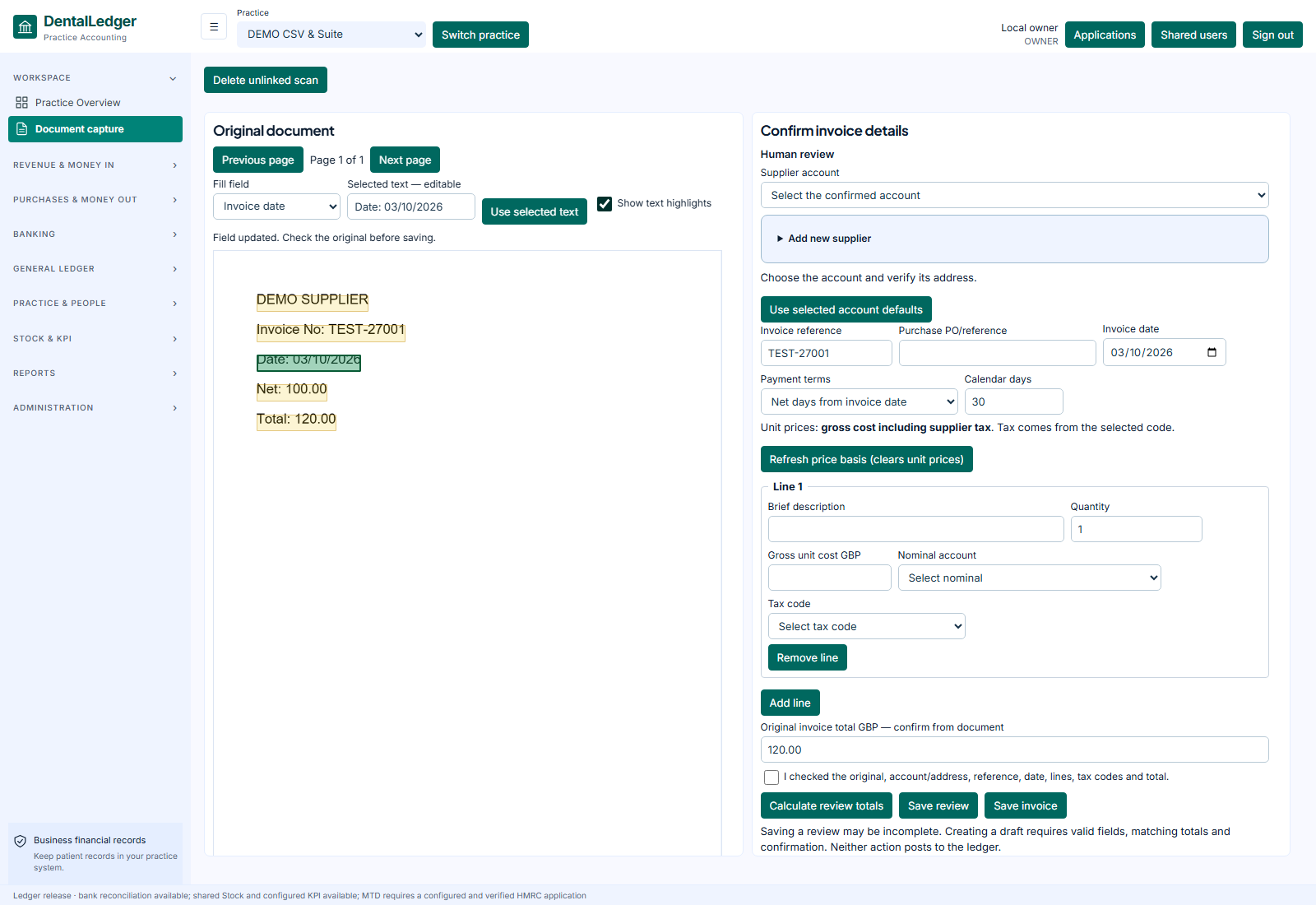 View screen
Accounts, in view.Development screenshot · fictional records. Select the image to inspect the screen.
The work it supports
A closer look
at the working day.
- Review captured PDF/image documents and correct OCR fields before entry.
- Manage customer and supplier invoices, quotes, credits, refunds and deposits.
- Review and post double-entry records, with reversals and protected posted history.
- Reconcile imported statements; explore P&L, balance sheet, trial balance and aged balances.
- Prepare supported associate and contractor earnings statements, distinct from employee PAYE.
Accounts / workflow exampleFictional
Step 01 / illustrative
Review the source
A fictional supplier bill is captured for review.
EXAMPLE PRACTICESupplier bill / EX-104Source context → staff review → next action
Website demonstration only. Switching steps does not save records, post accounts, run payroll, place orders or contact external services.
Availability, supported scope & connections
Standard domestic VAT workpapers are developed. Live tax submission acceptance, special schemes, broader migration and live bank/PMS connections remain separate work. Dayanik is in development. Hosted acceptance and onboarding are agreed before use. Screens are identified as development screenshots or illustrations; fictional records are used throughout.
Start with your practice
Show us the work
you want to make easier.
Choose your priorities. We’ll discuss the supported workflows, setup and the right next step for your team.