
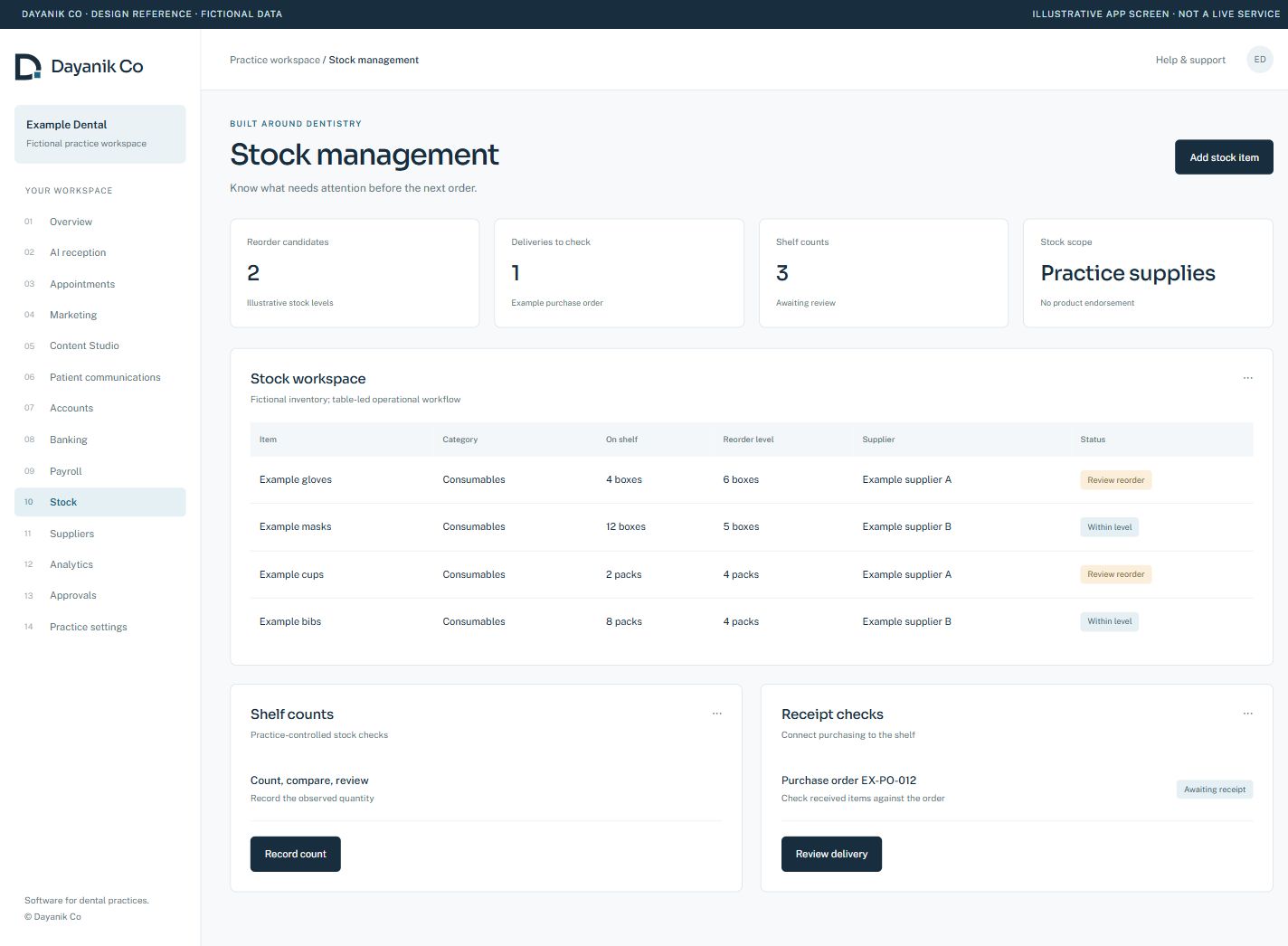
Know what is on the shelf. Plan what comes next.
Give stock counts, reorder review and receipts a shared working context.
 View screen
A closer look
at the working day.
- Maintain stock records and review shelf quantities.
- Use stock checks to inform reorder decisions.
- Follow purchase-order and receipt records.
- Review operational stock alongside Accounts through permission-gated access.
Check the shelf
Review a fictional stock item and counted quantity.
Website demonstration only. Switching steps does not save records, post accounts, run payroll, place orders or contact external services.
Availability, supported scope & connections
Supplier catalogue connections, automated external ordering and automatic stock-to-ledger posting are not included in this claim. Practice isolation and hosted acceptance remain rollout requirements. Dayanik is in development. Hosted acceptance and onboarding are agreed before use. Screens are identified as development screenshots or illustrations; fictional records are used throughout.
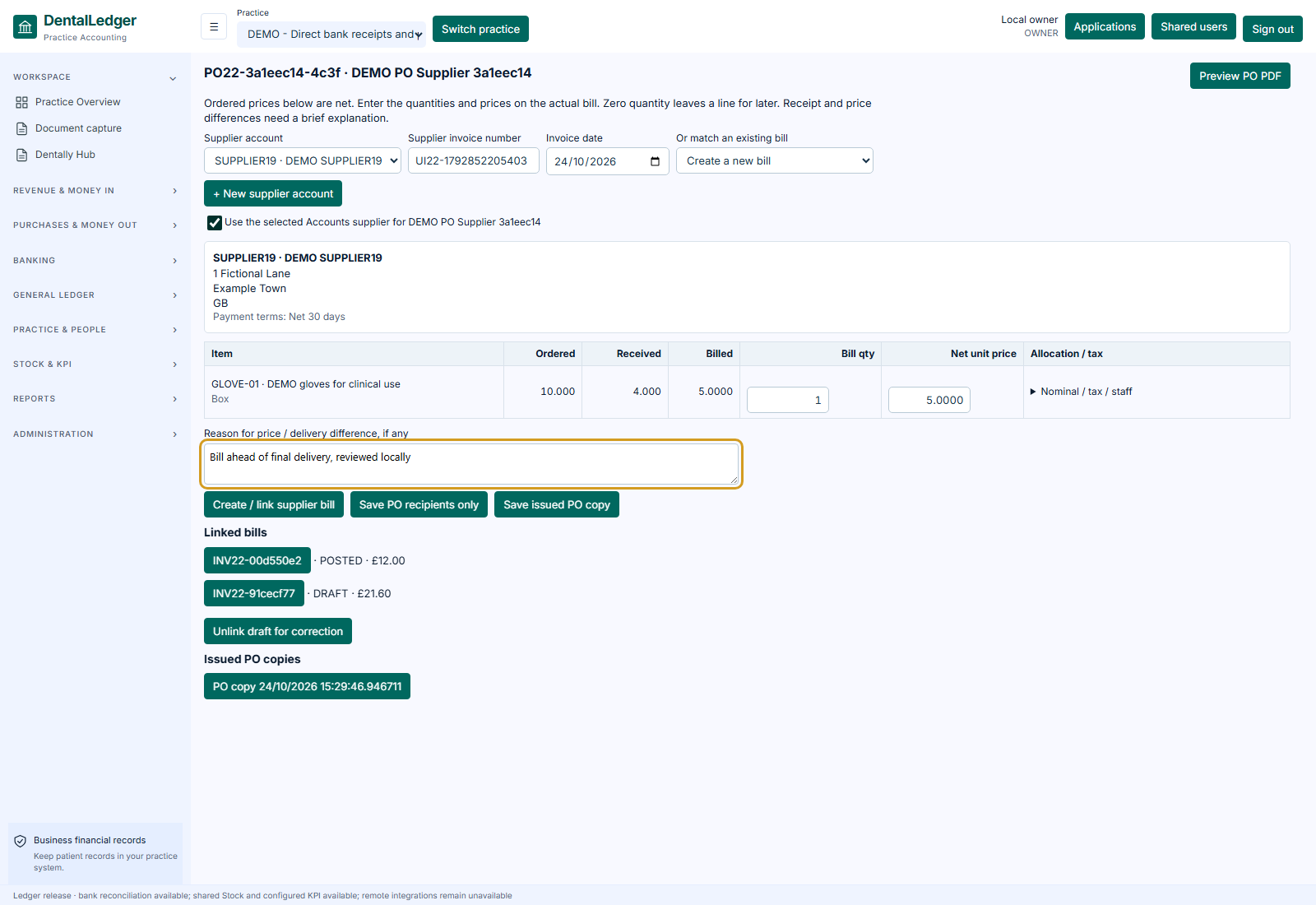
The order and
the supplier bill.
Developed Accounts PO/bill matching provides a separate review step. This does not imply automatic stock-to-ledger posting or live supplier ordering.
 View screen
Show us the work
you want to make easier.
Choose your priorities. We’ll discuss the supported workflows, setup and the right next step for your team.