SOFTWARE FOR UK DENTAL PRACTICES / BUILT AROUND DENTISTRY
Built around dentistry

Your practice.
Your numbers.
A clearer view.

Accounts. Payroll. Stock & purchasing.
Software for the work that keeps your dental practice running.

Your practice office, in view.
Accounts / document reviewDevelopment build
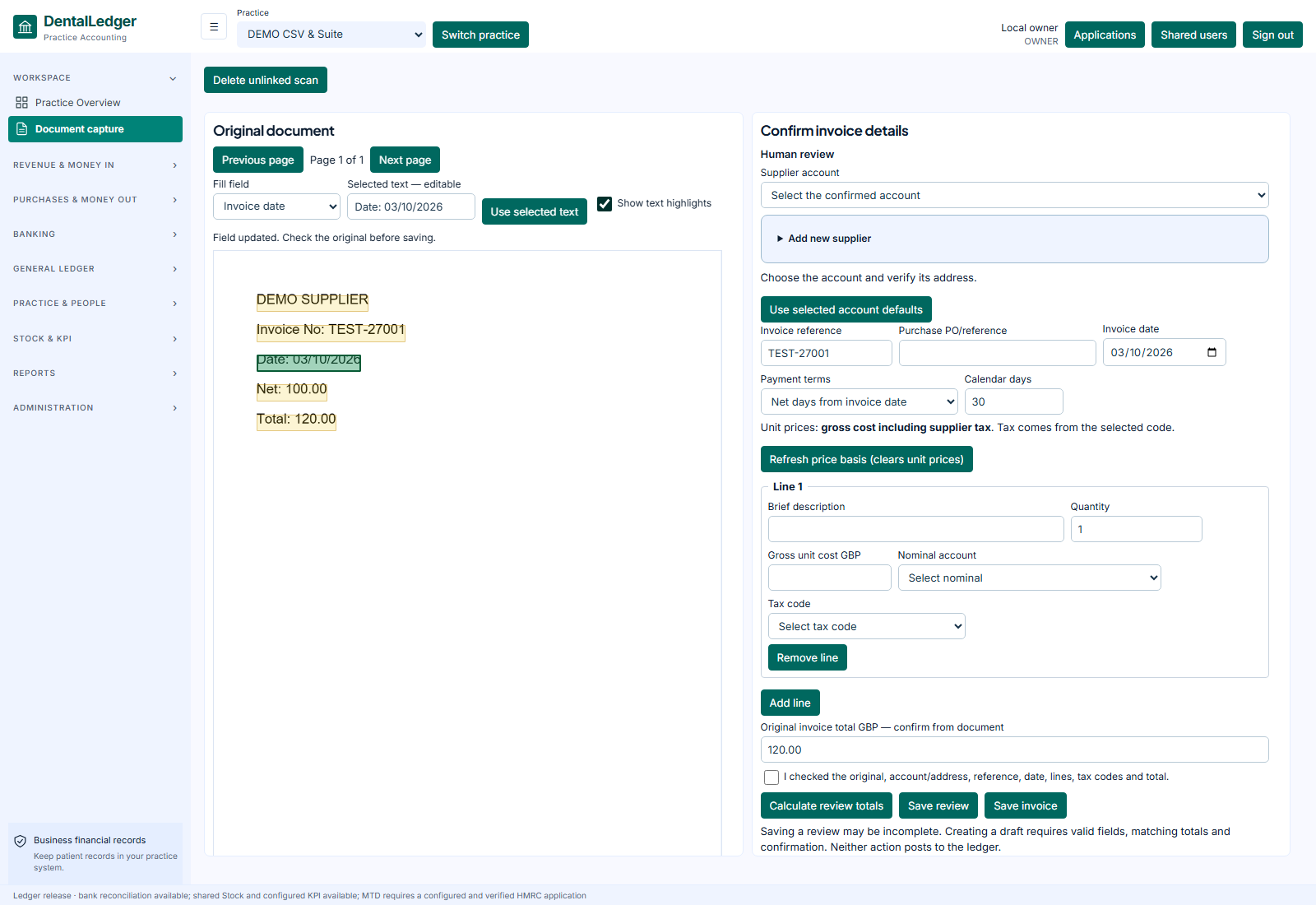
Developed Accounts document-capture screen with a fictional supplier invoice beside the review fieldsView screen
Development screenshot · fictional records
Document capture and review in the developed Accounts application.Explore Accounts →
For UK dental practicesChoose the modules you needPeople stay in control
The business behind the dentistry

Familiar work.
A clearer way through it.

Start with the part of the practice day that needs attention. See the source, review the decision and understand the next step.

01 / ACCOUNTS

The bill. The source.
The whole picture.

A supplier invoice should not mean another round of retyping and hunting for the original.

Keep the document beside the entry. Check the details, review the accounting treatment and follow the record into your financial reports.

  • Review document and invoice fields together
  • Keep invoices, credits and deposits in context
  • Explore the ledger, balances and reports
Explore Accounts ↗
Accounts / document reviewDevelopment build
Developed Accounts document-capture screen with a fictional supplier invoice beside the review fieldsView screen
Development screenshot · fictional records
02 / PAYROLL

Prepare the pay run.
Understand the result.

Payday brings enough questions. Your software should help you see what needs checking.

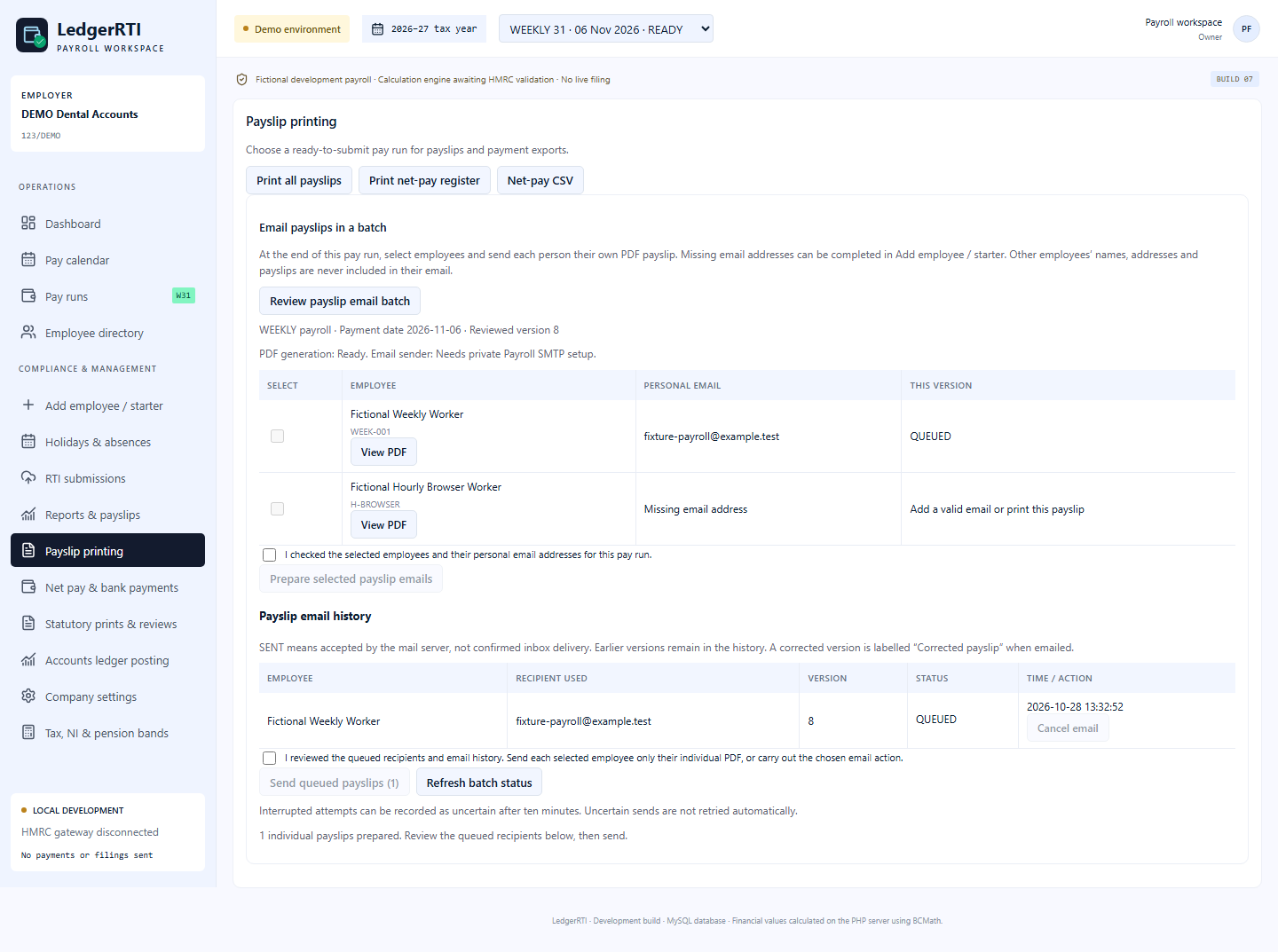
Prepare employee pay, inspect supported calculations and review payslip outputs. Keep corrections and review history close to the work.

  • Prepare employee pay and supported deductions
  • Inspect calculations and correction history
  • Review payslip outputs before release
Explore Payroll ↗
Payroll / payslip preparationDevelopment build
Developed Payroll screen showing fictional employees, payslip batch review and email preparationView screen
Development screenshot · fictional records
03 / STOCK & PURCHASING

Know what is on the shelf.
See what needs ordering.

“Have we ordered the gloves?” should be a question your team can answer.

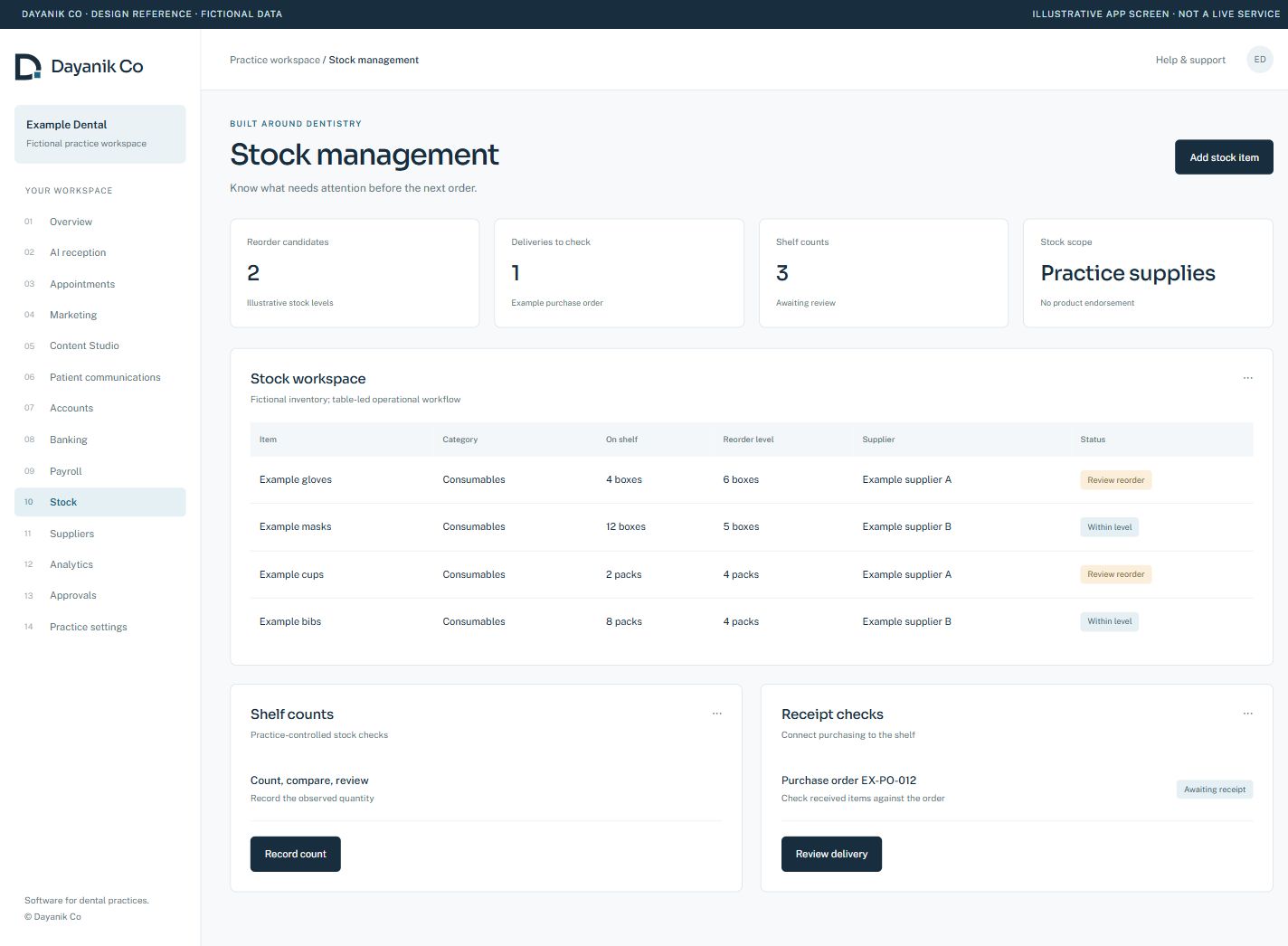
Bring shelf counts, reorder decisions, suppliers and purchase-order records into a clearer working day. Review the delivery before the next step.

  • Review stock levels and reorder needs
  • Keep supplier and purchase-order context
  • Check receipts and supported bill matching
Explore Stock & purchasing ↗
Stock / shelf and reorder reviewIllustrative
Illustrative Dayanik stock screen showing gloves, masks and reorder reviewView screen
Illustrative interface · fictional records
A choice you can understand

See the fit.
Ask the practical questions.

A dental practice needs more than a long feature list. Explore the screens, compare the scope and discuss how the software could fit your team.

Compare the options ↗
01

See your workflow

Start with the actual task: a bill, a pay run or the next order.

02

Discuss the setup

Agree supported scope, access, onboarding and commercial arrangements.

03

Keep a clear boundary

Dayanik is in development. Live PMS, bank and statutory filing connections have their own approval and acceptance steps.

Start with your practice

Show us the work
you want to make easier.

Choose your priorities. We’ll discuss the supported workflows, setup and the right next step for your team.

Product screen